How-to
How to illustrate medical notes with AI: a two-pass workflow that adds diagrams without slowing your note-taking down
Updated 1 June 2026 · 10 min read
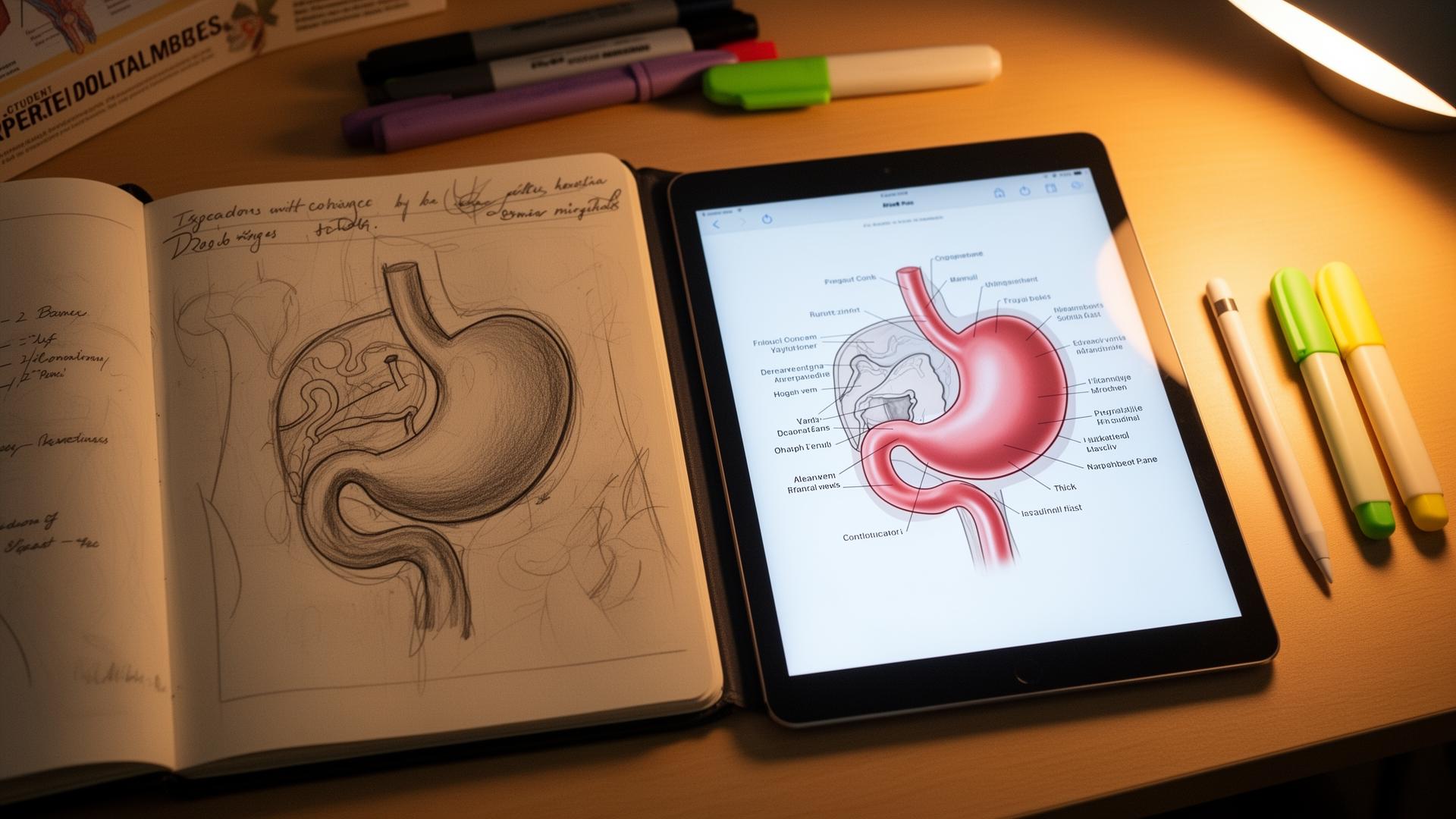
How to illustrate medical notes with AI: photograph or import a rough sketch into a sketch-first illustration tool, add one line of anatomical context, and generate a clean labelled diagram in under a minute. Most medical notes have a diagram-shaped gap because hand-drawing during a lecture costs you the lecture. AI changes the economics. This guide is the exact two-pass workflow, the tools that work, and the ones to skip.
Why diagrams in medical notes are worth the effort
Dual-coding theory, first formalised by Allan Paivio in 1991 and replicated repeatedly in medical education, says you remember a concept better when it is encoded as both words and a picture. Anatomy, embryology, pathology, pharmacology and surgery all lean heavily on spatial reasoning. A labelled diagram is not decoration; it is a second memory trace, and at exam time it is often the trace that fires first.
The problem has always been time. Drawing a clean diagram by hand during a lecture costs you the lecture. Drawing it afterwards from memory costs you twenty minutes and you usually skip it. AI illustration collapses that twenty minutes into under a minute, which is the only reason this workflow is realistic for a full timetable.
The principle: capture rough, render later
Do not try to draw a clean diagram during a lecture. You will either miss what is being said or end up with a half-decent diagram and half-decent notes. Sketch fast, label minimally with arrows and single words, and trust that you will render it later. The AI step is what makes 'render later' viable for the first time.
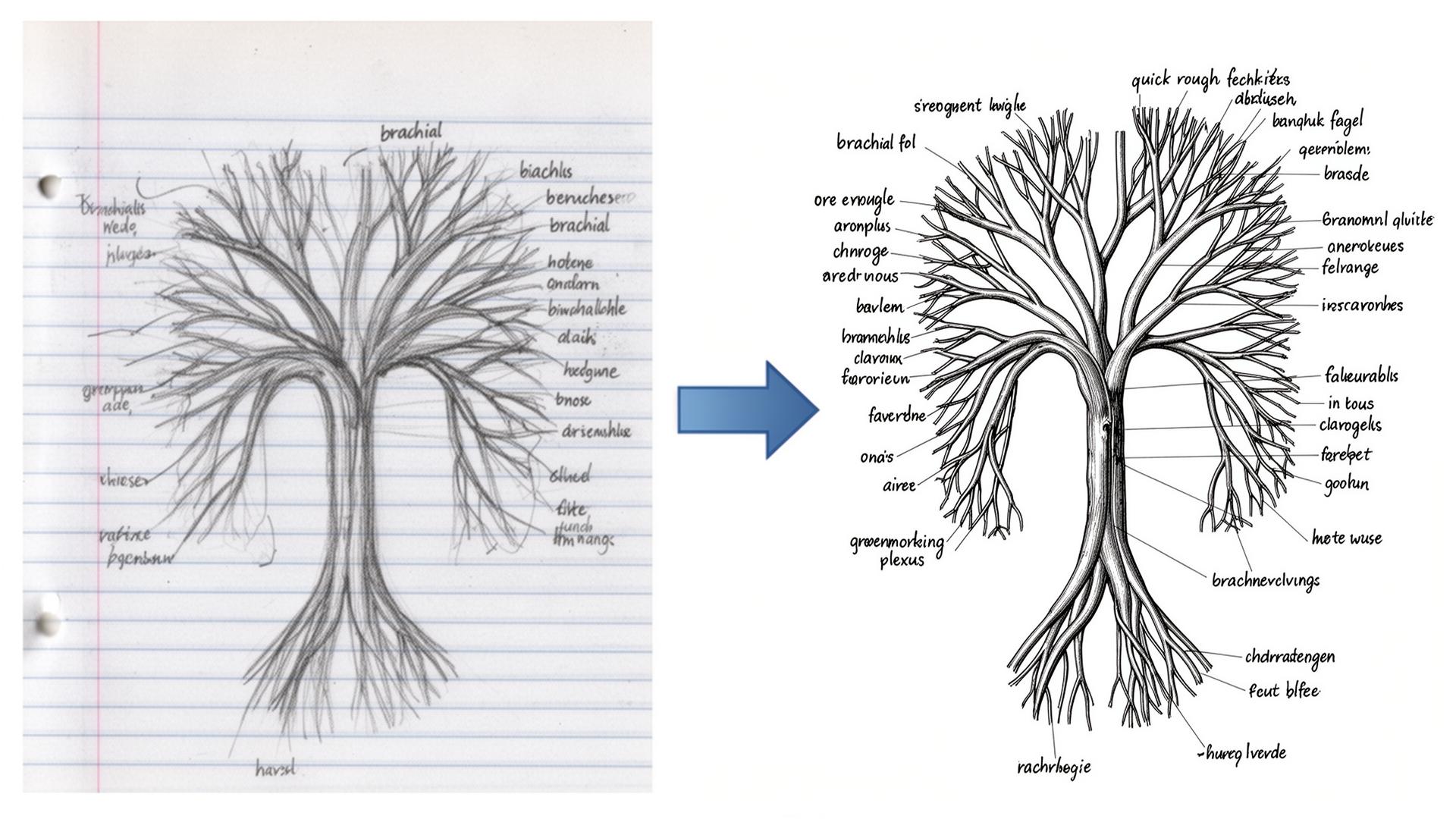
The two-pass workflow, step by step
Pass 1: during the lecture (zero overhead)
- Sketch any structure that comes up. Stick figures of anatomy are fine; correctness of the labels matters more than the lines.
- Label one or two key points with single words: 'CN VII', 'left coronary', 'B cell zone'.
- Mark the page with a star or a margin tag so you can find it again in the evening.
- Do not stop the note flow to make it pretty. The pretty version is generated, not drawn.
Pass 2: that evening (5 to 10 minutes for the whole day)
- Photograph the page or import your tablet sketches into a sketch-first illustration tool. Angiosome is built for this; see ai-medical-illustration for a full tool comparison.
- Tell the tool what the structure is in one line: 'sigmoid colon, blood supply, posterior view'. Context sets the anatomical conventions.
- Generate. Review for one minute against your textbook or an atlas such as Gray's or Netter's.
- Save the labelled image back into your notes. Digital notes: paste in. Paper notes: print and stick in, or move that page to digital.
- Tag the file with the topic so you can find it later for flashcards and slides.
| Step | Time | Cognitive load | Output |
|---|---|---|---|
| Lecture sketch | 5 to 20 seconds | Low — happens in parallel with listening | Rough margin diagram with single-word labels |
| Photograph / import | 10 seconds per page | None | Digital sketch ready for upload |
| Context line | 10 seconds | Low — name the structure and view | Prompt that anchors anatomy |
| Generate | 20 to 40 seconds | None — passive wait | Clean labelled diagram |
| Atlas check | 30 to 60 seconds | Medium — active verification | Verified, usable image |
| File and tag | 10 seconds | None | Reusable asset for notes, Anki, slides |
Choosing the right AI tool (and why sketch-first matters)
Text-to-image models like ChatGPT's image generator, Midjourney and Stable Diffusion will draw something anatomical from a prompt, but they hallucinate confidently. Ask for a brachial plexus and you may get five trunks instead of three, or a circle of Willis with the wrong communicating arteries. They were trained on internet imagery, not anatomy textbooks, and they do not know when the picture is wrong.
Sketch-first tools take your drawing as the structural input and render it in a chosen style. Because the topology comes from your hand, the anatomy stays correct as long as your sketch is correct. This is the entire reason a one-minute sketch is worth more than a perfectly written prompt: the sketch carries the spatial truth.
| Tool | Input model | Anatomical accuracy | Best use |
|---|---|---|---|
| Angiosome | Sketch-first | High (mirrors your sketch) | Anatomy, surgery, pathology diagrams |
| ChatGPT image gen | Text-to-image | Low for anatomy | Generic medical metaphors, patient-friendly cartoons |
| Midjourney | Text-to-image | Low for anatomy | Stylised editorial illustration |
| BioRender | Drag-and-drop templates | High but template-bound | Molecular pathways, signalling diagrams |
| Procreate + AI brush | Manual + assistive | High (you control) | Polished hand-drawn aesthetic |
Where this workflow shines
- Anatomy modules: you will generate dozens of diagrams a week, and the per-diagram time matters more than anywhere else.
- Pathology: a marked-up histology slide or a tumour-spread diagram is more useful than three paragraphs of prose.
- Pharmacology: receptor diagrams, drug-action cartoons, second-messenger pathways and mechanism flowcharts.
- Surgical placements: sketch the procedure as it is done, render the clean version at the end of the day. See ai-medical-illustration for surgical-sketch examples.
- Embryology: rotational sequences and folding diagrams where text descriptions collapse without a picture.
- Radiology: annotate a labelled overlay on a teaching scan (never a real patient scan without anonymisation).
What to do with the rendered images (or it was not worth generating)
A rendered diagram is worth the minute you spent on it only if you reuse it. The simple rule: every image should appear in three places. Drop it into Anki as an image-occlusion card (see anki-ai-workflow-for-med-school for the full pipeline). Drop it into your study guide for the module. Use it as the diagram on a case-presentation slide or audit poster. The same image, in three contexts, is how anatomy actually sticks.
- Place 1: in the day's notes, captioned with the topic and date.
- Place 2: in an Anki deck as an image-occlusion card with three to five labels masked.
- Place 3: in a topic-level slide deck or your finals revision folder, ready for case presentation or teaching.
Safety, plagiarism and academic integrity
Three rules cover almost everything that goes wrong. Never upload identifiable patient data: no scans with hospital headers, no clinical photographs, no operative notes with names. Anonymise everything. Never paste in copyrighted textbook figures as your sketch input. Always disclose AI-generated illustrations in formal submissions if your school's policy requires it; most UK and US schools now do.
On the disclosure point, the General Medical Council's 2024 guidance on generative AI in medical education is the clearest reference for UK students. US students should check the AAMC's emerging guidance and their own school's honour code. When in doubt, declare.
What this workflow does not fix
- Bad note structure. AI illustration is the polish; you still need the bones of the notes to be sound.
- Missing concepts. The model cannot add knowledge you did not capture. Pair with NotebookLM (see notebooklm-for-medical-school) for filling lecture gaps.
- Memorisation. Pretty diagrams do not memorise themselves. Spaced repetition does.
- Examiner-style precision. If your school marks diagrams against a strict labelling rubric, hand-label the final image yourself.
Sources
- Dual coding theory: a current summary (Paivio, 2014) — American Psychological Association
- Generative AI and medical education — GMC guidance (2024) — General Medical Council
- AAMC statement on AI in medical education — Association of American Medical Colleges
- ICMJE recommendations on use of AI-assisted technologies — ICMJE
- Image occlusion in spaced repetition — evidence summary — Anki
- Gray's Anatomy for Students reference — Elsevier
Frequently asked questions
What is the best AI tool for illustrating medical notes?
Sketch-first tools where your own drawing is the structural input are the most reliable. Angiosome is purpose-built for this workflow on clinical anatomy and surgery. Text-to-image models like ChatGPT, Midjourney and Stable Diffusion are quick but hallucinate anatomical detail, so they are unsafe as your only source for diagrams you will study from.
How long does it take to illustrate a medical note with AI?
Around 60 to 90 seconds per diagram once you have the workflow set up: 10 seconds to import the sketch, 10 seconds to add a context line, 20 to 40 seconds for the generation and 30 seconds to verify against an atlas. A full day of lecture sketches usually renders in under 10 minutes of evening work.
Is it safe to use AI on real patient images or scans?
No. Do not upload identifiable patient images, photographs or scans to any AI tool without full anonymisation and explicit information-governance approval. Use teaching scans, anonymised case files, or your own hand-drawn sketches instead. UK students should follow GMC and trust IG policy; US students should follow HIPAA and institutional policy.
Can I get caught using AI to illustrate my medical notes?
Personal study notes are not normally subject to plagiarism review, so this is rarely an issue. Formal submissions, portfolios and posters are. Most UK and US medical schools now expect disclosure of AI-generated figures. Keep your original sketches as evidence and declare AI-assisted images when policy asks. When in doubt, declare.
Will AI improve diagrams I draw badly?
It will polish the rendering and clean the lines, but it will not fix structural errors. If your sketch shows the wrong number of branches in the brachial plexus, the AI will produce a clean image of the wrong number of branches. The sketch must be anatomically correct; the AI only handles presentation.
How does AI illustration compare to just photographing a textbook diagram?
A textbook photo is faster but it is not yours, so you skim it. Generating a clean diagram from your own sketch forces an active encoding step, which is why the diagram sticks. It also avoids the copyright and disclosure issues that come with reproducing textbook figures in your notes or slides.
Is AI medical illustration overkill for first-year medical students?
Only if you do not use diagrams. If your curriculum includes anatomy, embryology, histology, radiology, surgery or pharmacology mechanisms, the workflow saves hours over a term and the diagrams are reusable across flashcards, slides and revision. First-year is the best time to start because the diagram library compounds.
What is the cheapest way to illustrate medical notes with AI?
ChatGPT Free and Gemini Free can produce text-to-image medical cartoons at no cost, but they are inaccurate for anatomy. Angiosome's free tier covers basic sketch-first rendering. The honest answer is that the tool cost is small; the real cost is the discipline of running pass two every evening rather than letting sketches pile up.
Try it
Sketch it. Angiosome renders it.
Angiosome turns rough medical sketches into clean, labelled, photoreal diagrams — grounded in your sketch, not invented by a model. Free to try.
Open Angiosome →